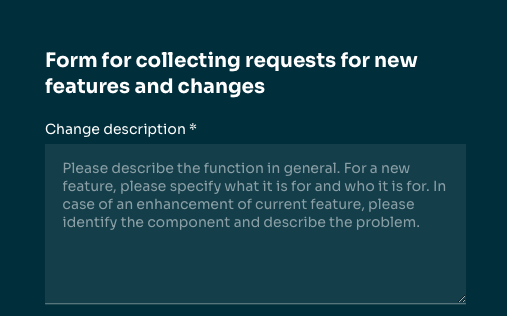
Based on the feedback and for the needs of new applications, the web forms were extended with the possibility of setting the so-called placeholder. Until now, only two values (mandatory, optional) were written into the placeholder, which reflected the rule for filling the text field. Now it is possible to set a custom value in the administration.
What can the placeholder be used for?
A typical scenario for using a custom placeholder value is some form of help. Often the information can be filled in different formats or the field name is too short and generic. So the placeholder tells the user what is expected.
Examples of appropriate use:
- Longer open-ended questions where it is appropriate to direct the user to the expected answer.
- Entering format-sensitive information (phone number, bank account, social security number, etc.)
Setting a placeholder
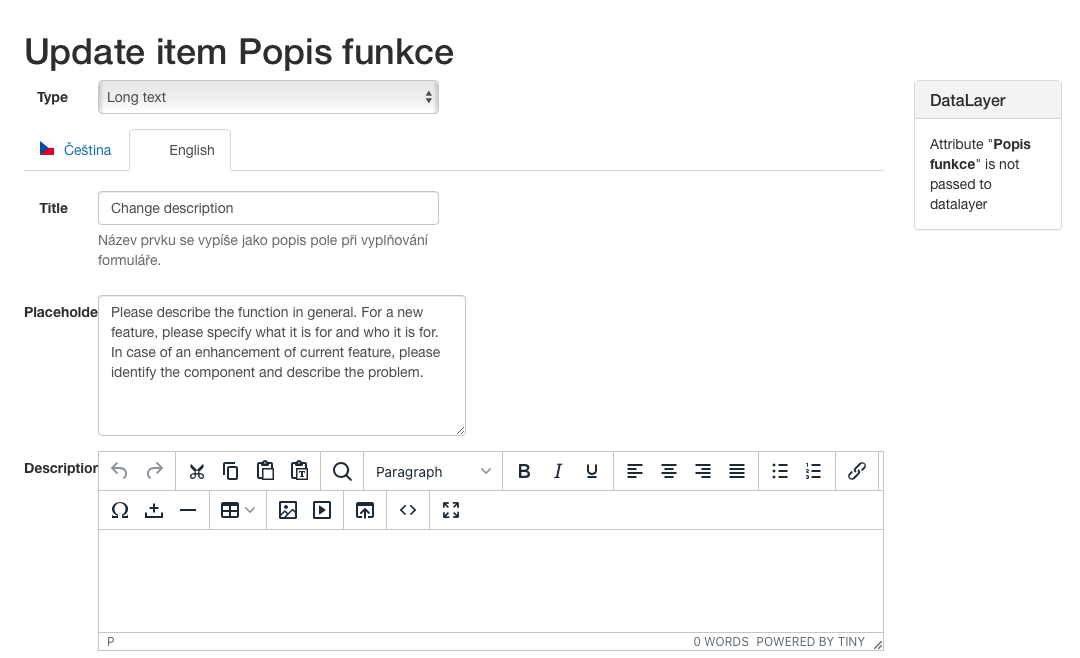
Working with placeholders is done in the Forms module (xform) and is defined at the form item level. Therefore, it is necessary to first find a specific form, go to edit the form section and then to edit the section item.
In the dialog box, you must then fill in the "Placeholder" field for each language.
What the user sees
As before, the description (label) of the form item is visible (in our example "Change description") and now also the mentioned placeholder in the unfilled form item is visible.
If the placeholder is not filled in, the information about the obligation to fill it in is still visible (mandatory, optional)