
As part of the update, the career module (as well as the career form) has been slightly improved compared to version 4.2.
These improvements consist of the following:
- managing and uploading positions to the website via API,
- the possibility to edit translations directly via the career module,
- prescribing preferred locations directly from the position to the form,
- LinkedIn field validation improvements
1. Management and uploading of positions to the website via API
During the transformation of the Byznys website into a Seyfor CMS, it was necessary to specify the opened positions that the given BU has on the BU website. However, it was not desirable to create two different positions (one on the career site and one on the BU site). For these purposes, an API was created that allows all positions of a specific BU to be shown on the website. The website then lists these positions in a firmly defined block, which the BU can insert into the website on their own campaign page.
Positions are downloaded from the API only for specific BUs, with all important information such as: position title, position location and position URL.
The positions link directly to the career website, so the user is always directed to one page where the content is always up-to-date.
Positions are synced to the career site once every 24 hours.
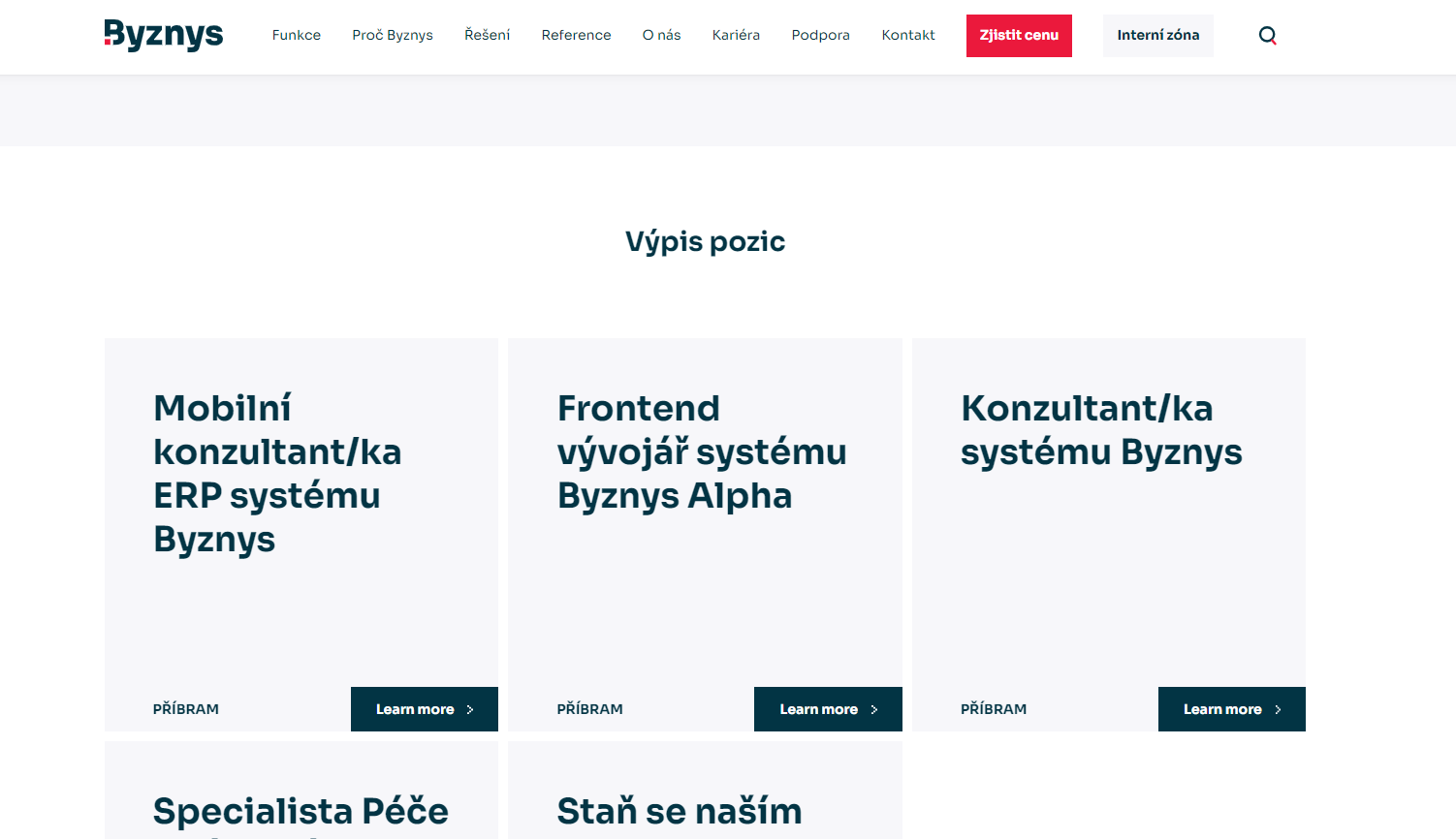
The update is now visible on: https://byznys-2023.testx2.cz/cs-cz/kariera.
2. The possibility to edit translations directly via the career module
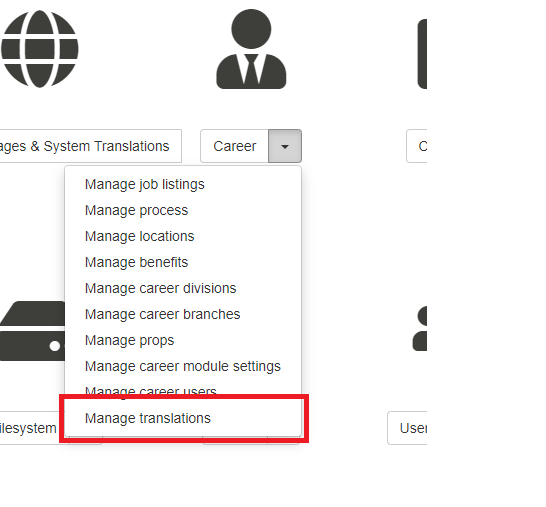
Within the administration of the career module, a link: "Manage translations" has been added, which can be seen by people with rights to manage translations in CMS.
By clicking on this link, the user is transferred to the translation management, where all translations related to Career module are listed. The editor can thus easily recognize the translations that relate to the career module and can manage them. That way, they don't have to worry about where the translation will be rewritten.
3. Transcription of preferred locations directly from the position to the form
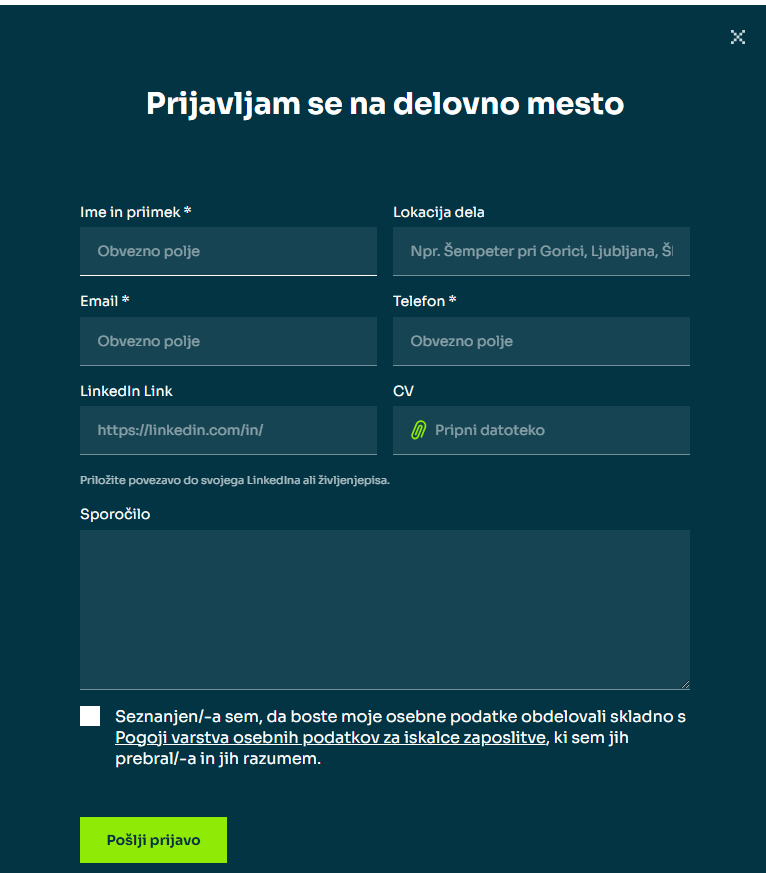
In the form, the "Preferred location" field is prescribed as a placeholder list of all locations that are set within the given position. The user can still enter a custom value, but a "personalized" value is suggested for the current position they are viewing.
4. Improvements to LinkedIn field validation
Due to the limitation of Recruitis, which requires an exact LinkedIn link to the profile, the validation of this field has been tightened. Newly, the user must enter the exact LinkedIn link in the format: "https://linkedin.com/in/PROFIL" or "https://www.linkedin.com/in/PROFIL". Previously, the restriction was only to any link entered via LinkedIn. This caused the values not to be written into Recruitis.
Deployment information:
The update is already deployed on the career site.