
As part of the update, the functionality of the blocks has been significantly developed and brings the following functionality:
- Global Blocks
- Global block above footer
- Disabling global blocks per module
Global blocks
Global blocks are functionality that builds on standard blocks. Within global blocks, it is possible to define elements that can be reused across the web in different page types.
This is content that the user (CMS administrator) defines in one place and can insert into any page. The editing is then done only once and any changes are propagated to all used sites.
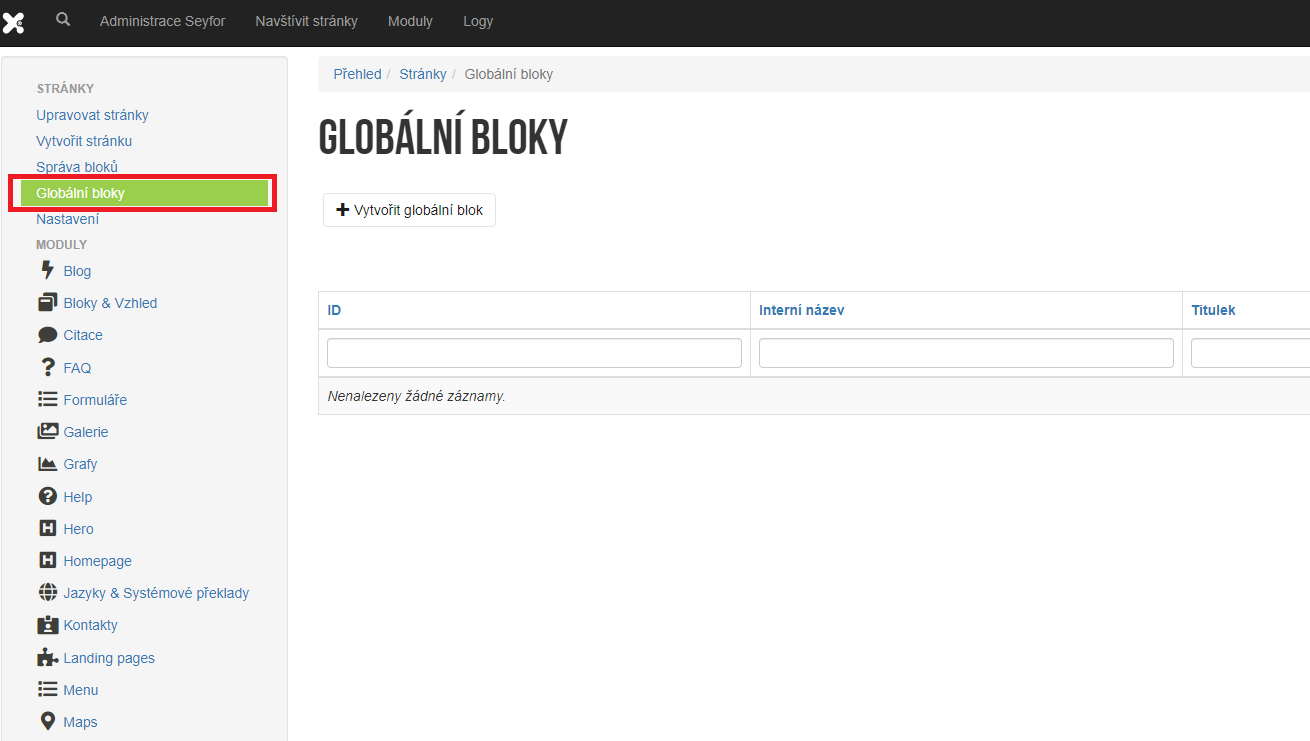
Creation of a global block is done in the "Pages" module in the "Global blocks" section:
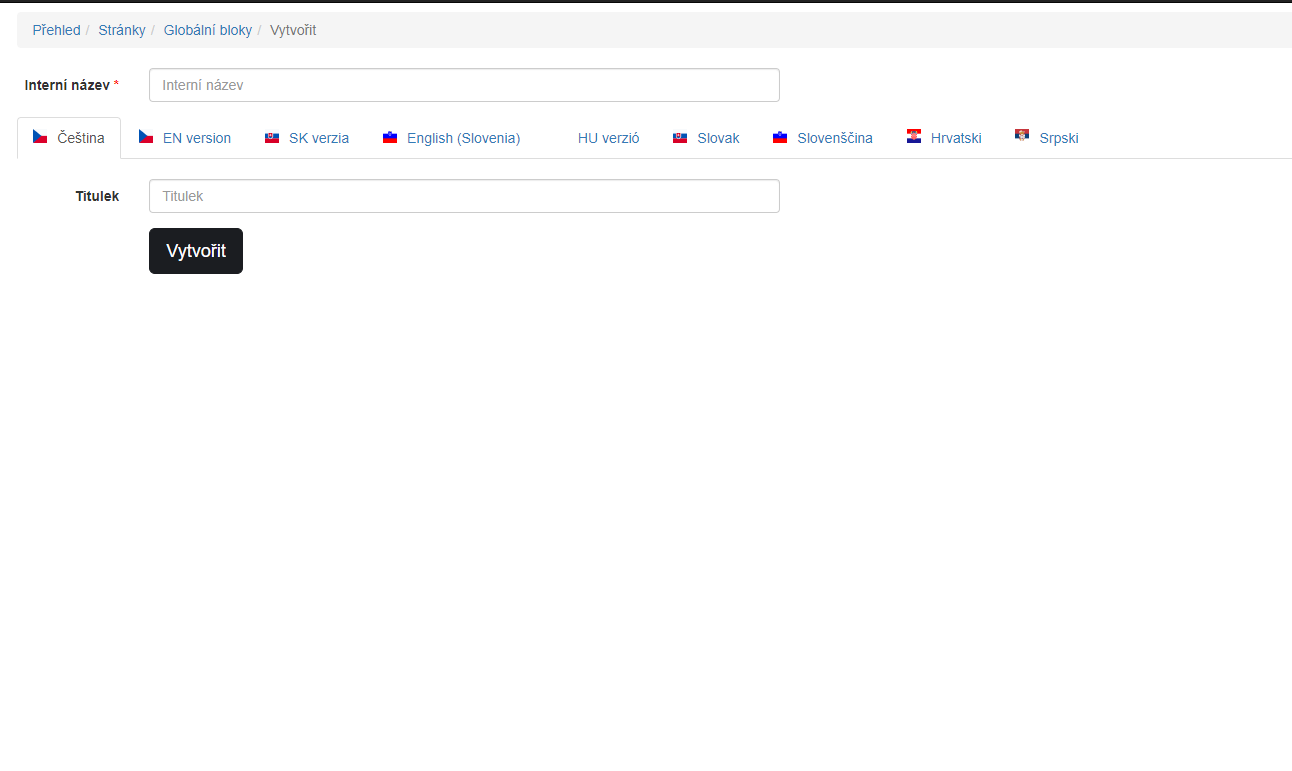
Creating a global block requires an internal name and a translatable name:
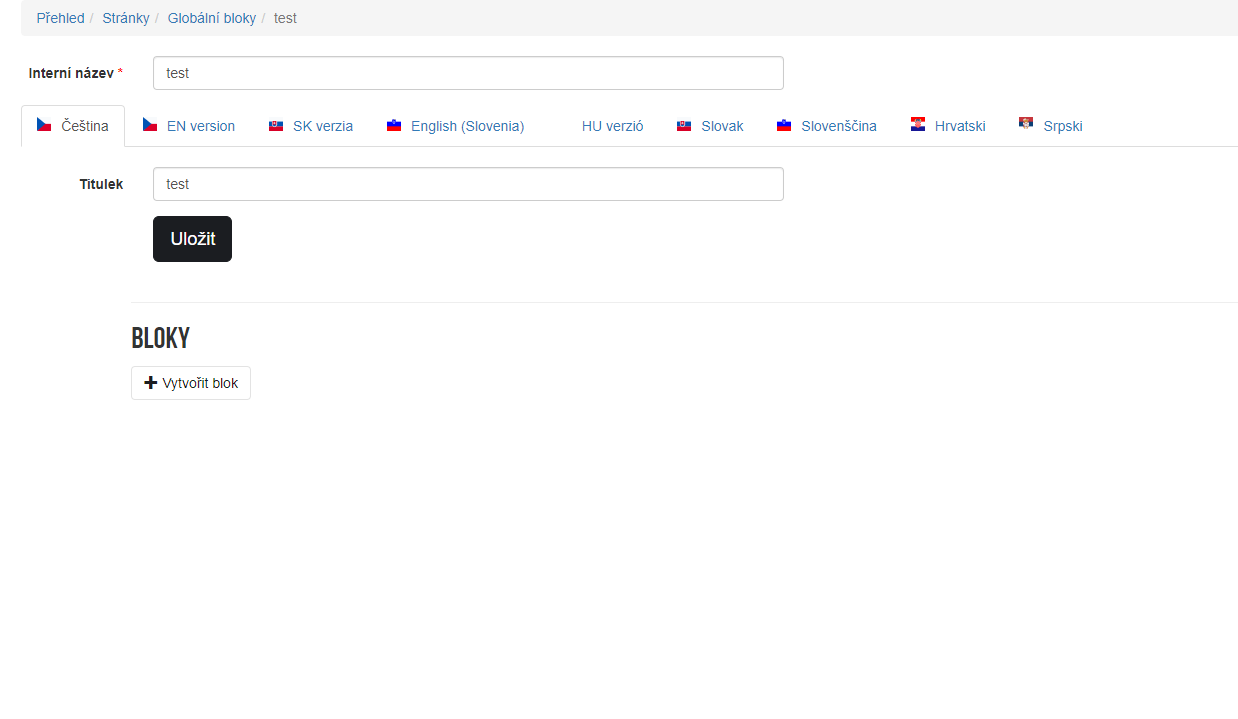
After creating a global block, standard blocks can be inserted into it, see:
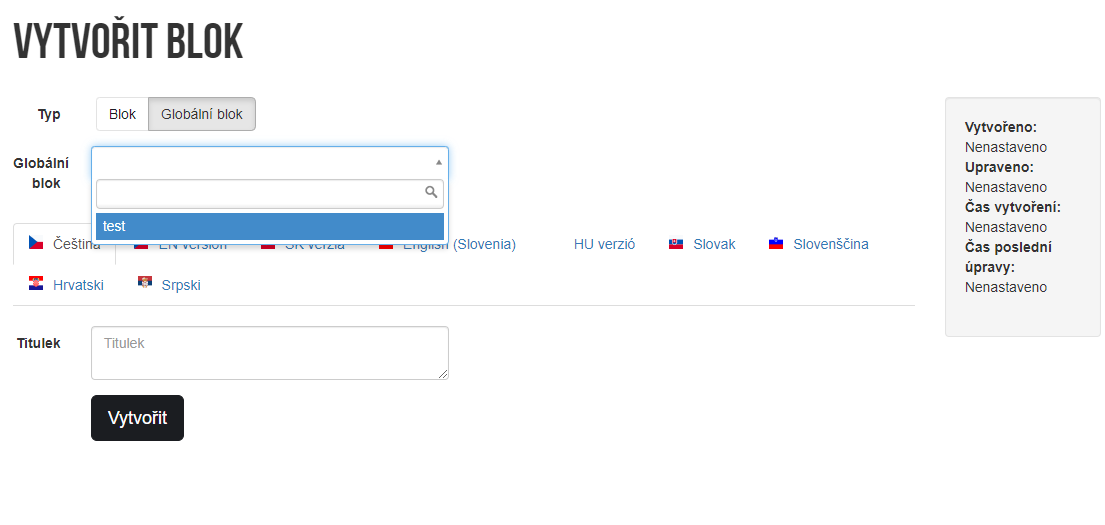
A global block can be inserted into a page as a standard block. When inserting a new block, the "Type" switch is displayed to specify whether it should be a global block or a regular block.
When selecting the type: "Global block", a list of global blocks that can be used from the entire CMS is offered.
Adding a global block to a page then additionally allows direct editing of these blocks. The user does not have to navigate to the "Global Blocks" section, but can edit a block from a specific page. The data is then propagated to all used instances of the global block.
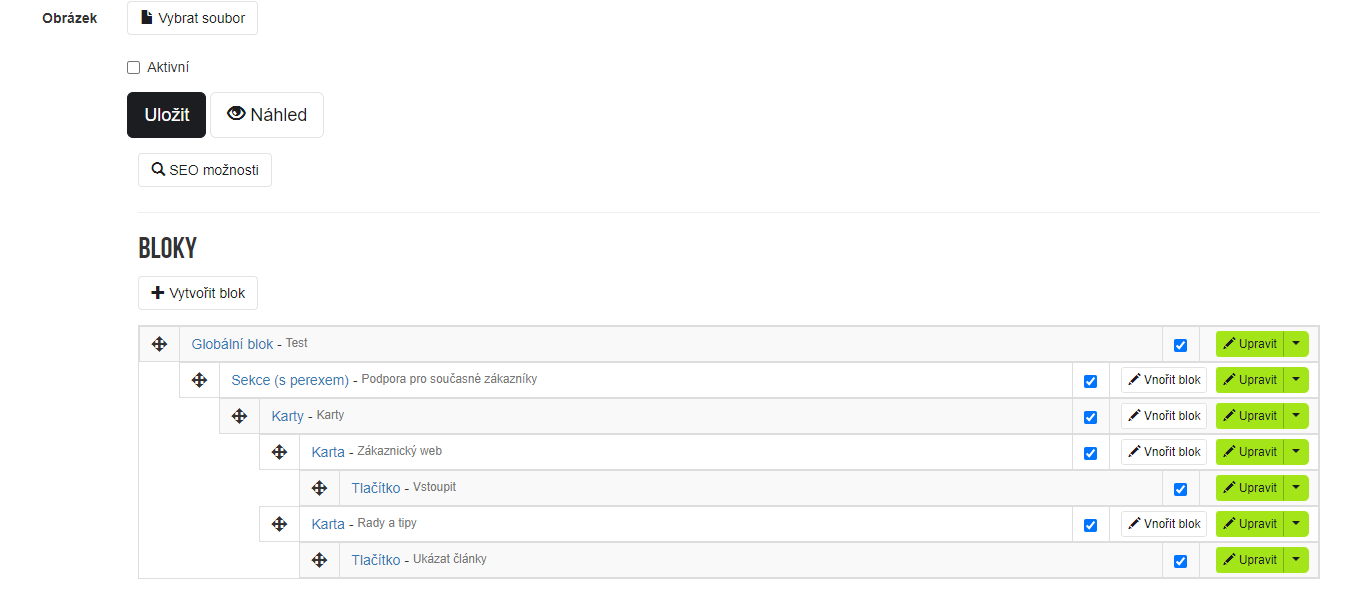
Global block above footer
As part of the update, we also added an extension to the module settings: 'Pages'. These now include the ability to define a global block above the footer. This can be selected again using a simple dropdown:
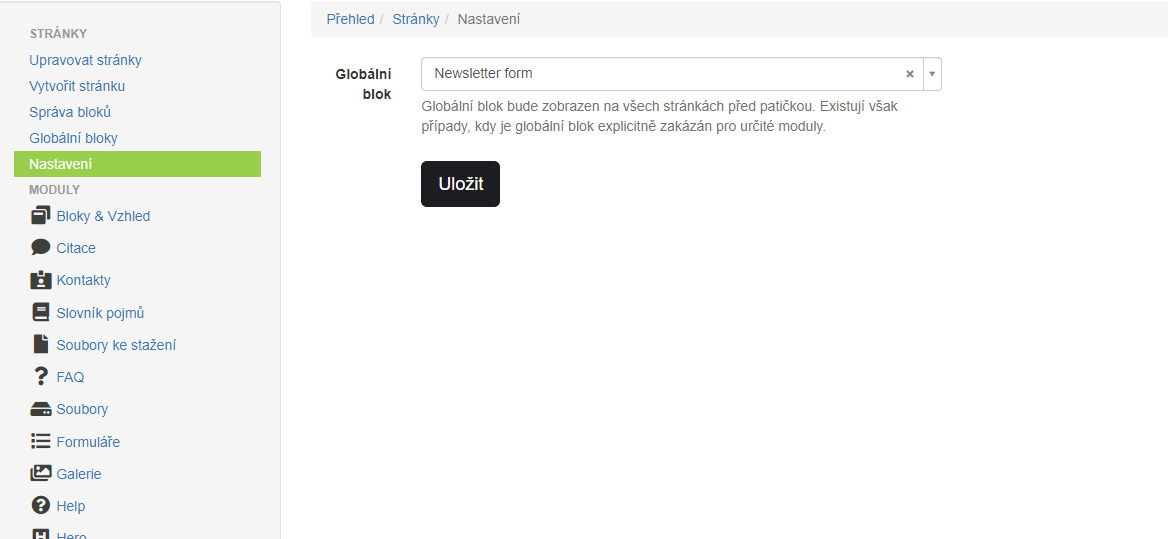
This global block is then propagated to all pages of the site. A typical example is now the website: https://www.vema.cz where global blocks are displayed directly above the footer - this is the newsletter block. The user would otherwise have to insert such a block into every page and keep track of usage as each page is created.
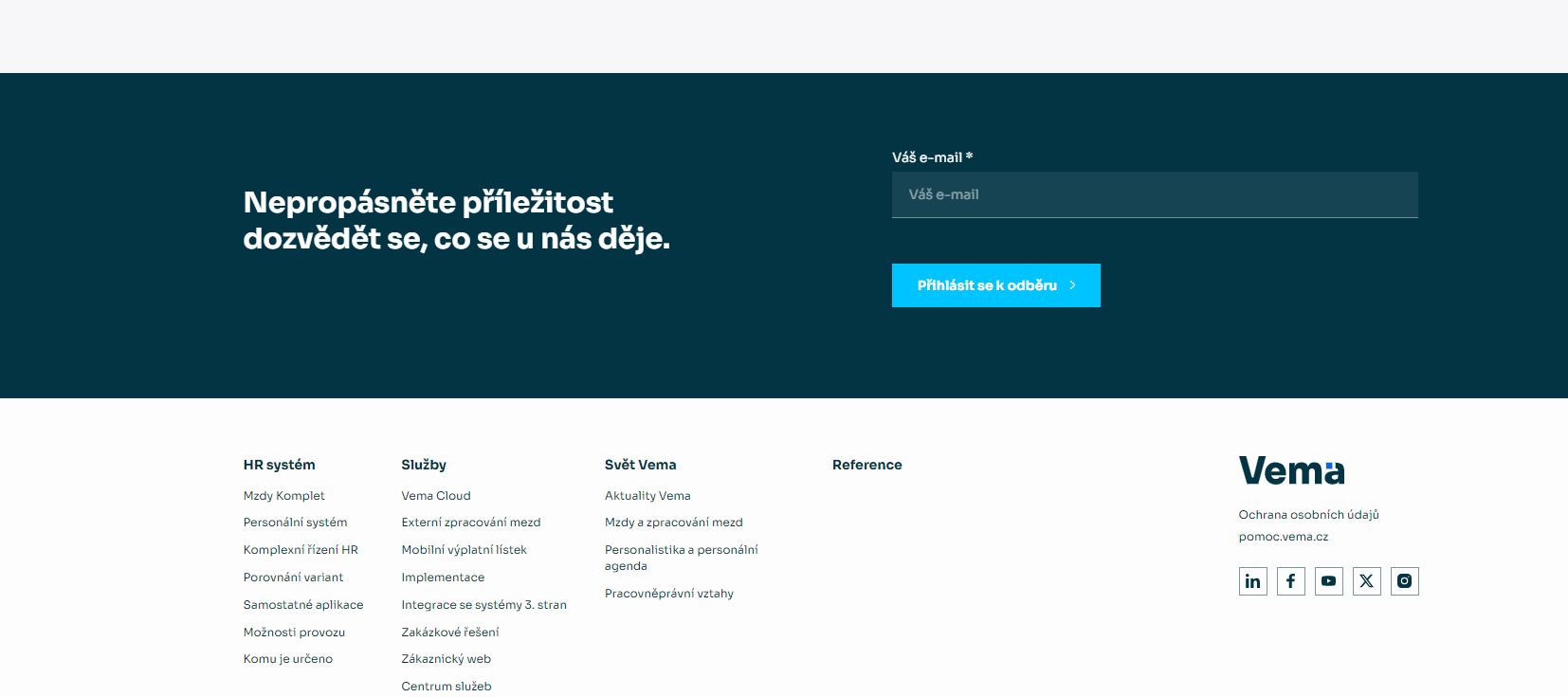
The global block inserts this element automatically and the user does not have to watch anything.
Disabling global blocks per module
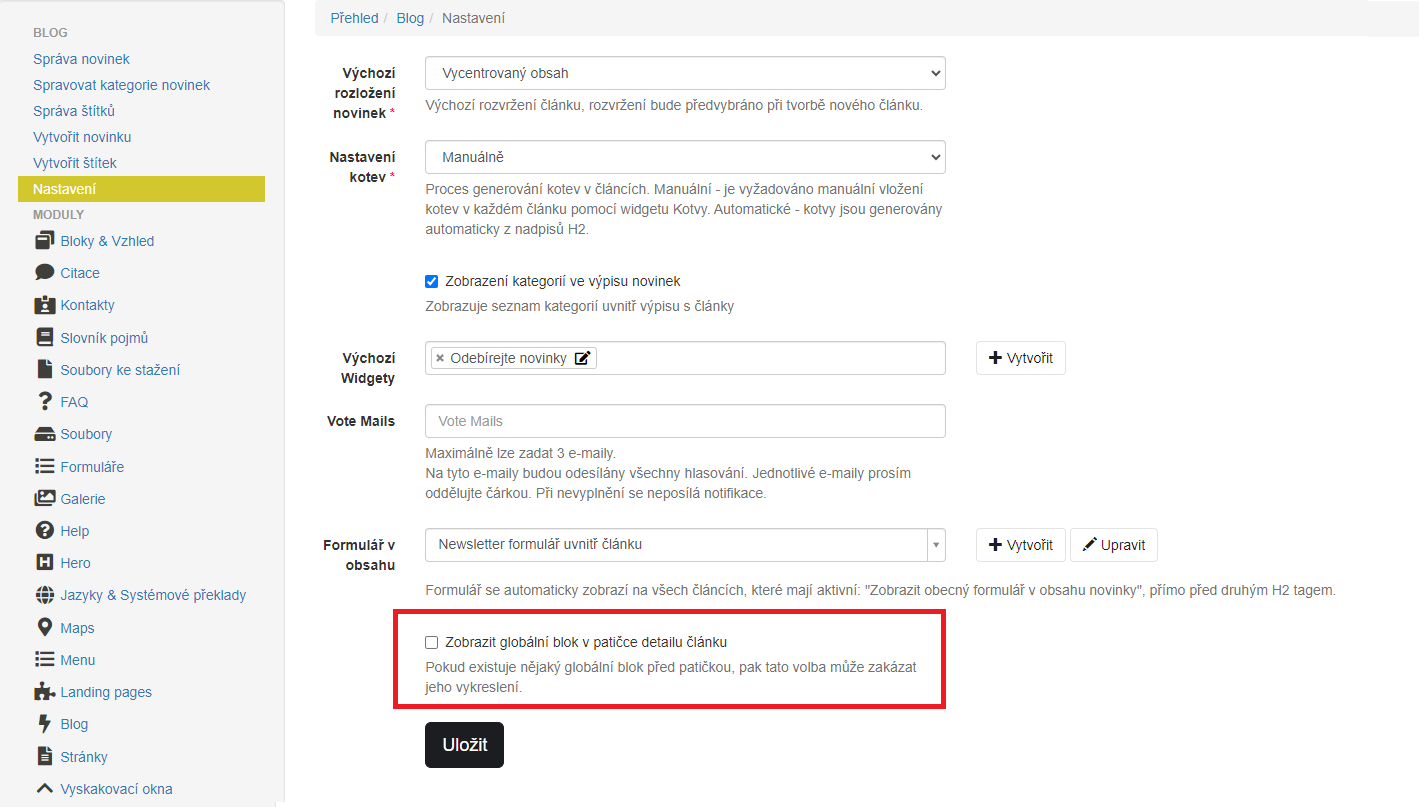
The global block above the footer can be turned off in certain instances. A typical use for Vema was to use newsletter forms inside articles in the module: 'Blog'. So it doesn't make sense to have the form in the article and then also above the footer. For this purpose, the settings of the module: "Blog" were extended with the setting: "Show global block in article footer detail", which can be used to set the block to be hidden in the article detail.
Update availability
The update is already available on: seyfor.com, vema.cz, moneyerp.com, one-core.com. The distribution will take place with the update of the module "xpage" to version 4.4. The nearest contribution of the update will take place on the site: byznys.eu.