
Option to Hide the Global Block on Selected Pages
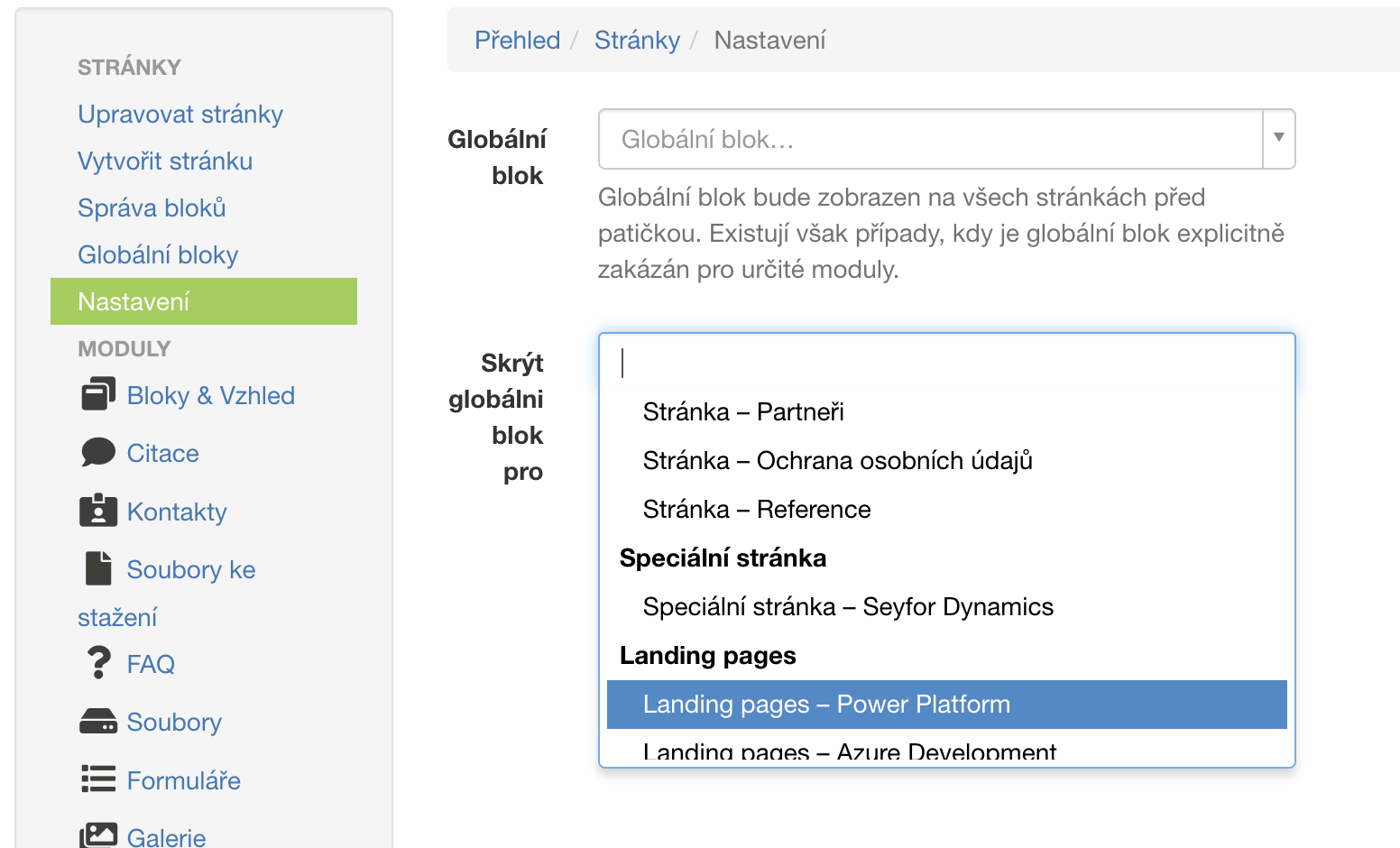
The global block set across the website can now be hidden on specific pages.
In the xpage module, the settings have been expanded, where it is defined which global block should be used across the website and placed above the footer. Now, there is an option to set a binding to a specific object (e.g., page, LP, solution...), where the global footer should not be displayed.
New Page Blocks and Changes
This update also expands the capabilities of PageBlocks with several new features and visual improvements. Below are the individual changes related to PageBlocks.
Option to Choose a Background for Each Language
Blocks now support selecting a background separately for each language, allowing better content customization in different language versions.
Alternative Block for Citation Listings (xcitation)
Previously, it was only possible to display a list of all citations; now, specific citations can be selected. A new PageBlock for citations has been created, allowing individual citations to be displayed in the following design:

New Block for Partner Listings (xpartner)
A new block has been added that allows selecting specific partners from the "Partners" module and displaying them according to the order in the system. The block can be inserted into the "Section" block.
New product listing block (xsolution)
A new block has been added for listing products from the selected category.
Text Block with Image – Image Enlargement Feature (xpage)
The "Text Block with Image" now supports enlarging the image into a lightbox.
Block "Cards – Text / Image" – New Options (xpage)
-
Added option to hide the title.
-
Option to expand the block to the full width of the screen.
Other changes
- Fixed a bug where the user wouldn't be able to select an anchor in the xid selector.